
SCADA
The basics of Supervision Control And Data Acquisition
ALARM LISTS
We have seen several situations in the definition of digital and analog variables that may lead to a generation of an ALARM. So let’s define what is an ALARM and what is the life cycle of such an entity.
An ALARM is a situation that we want to bring to the attention of a human operator, owner, or someone interested in the good operations of some installation.
The handling of alarms can better be described by looking at them as an entity with several states and with transitions between these states.
We have seen that the alarm can be associated with a digital or analog variable. Both are treated in a similar way.
If a variable enters an alarm situation by going over an upper limit or changing to an alarm state (0 or 1) then, according to the definition we enter in the database, an alarm is generated and its state is considered to be ON.
Entering in this state creates an entry in the table of alarms, represented by a record that has the description defined in the db, the time stamp of the moment the alarm was detected and the status of ON or ACTIVE. This change of state is also registered in the log.
There are two ways to exit this state.
One is an action by the operator, acknowledging he has seen the alarm, and is aware of it. He may take further action if he so decides. If the alarm is still present at that time it stays in the state of “ACKNOWLEDGE” or “ACK”. It will remain in this state until the reason for the alarm situation is no longer there. Then it will go “OFF” and disappear from the alarm list.
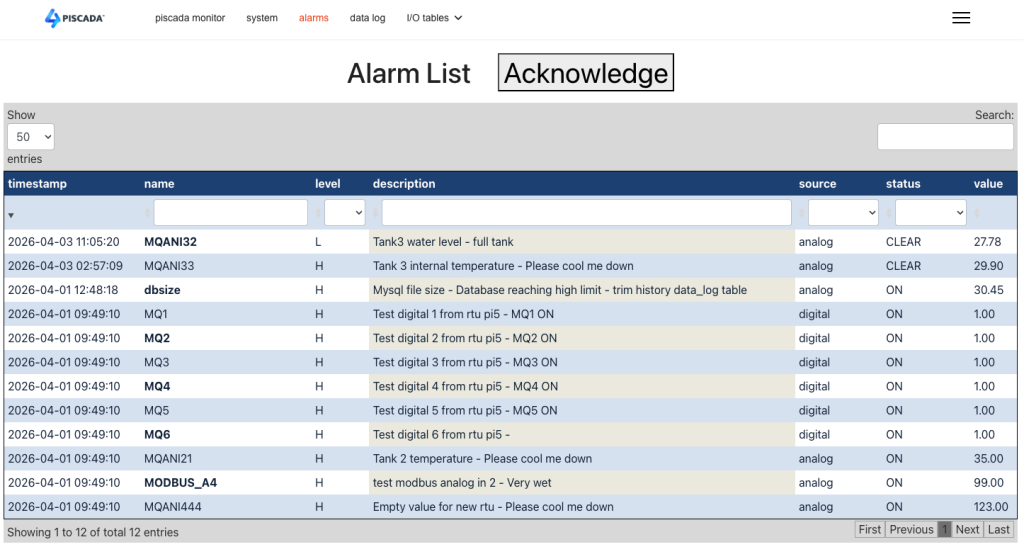
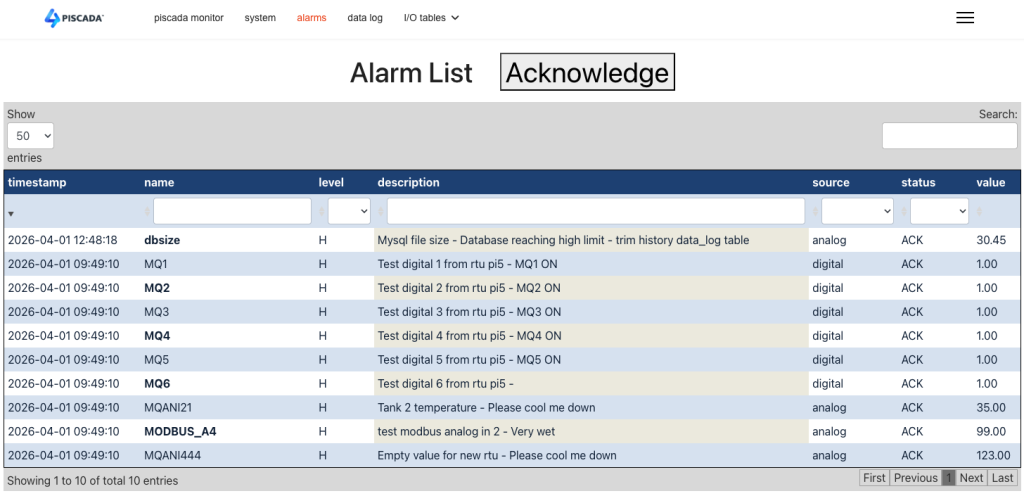
The other exit situation is the reason for the alarm to disappear, for example the variable returns to a value below the high alarm limit. In this state the alarm stays in the alarm list in a state called “CLEAR”
In this case it will remain there until the operator acknowledges it, and then it goes “OFF” and disappears from the alarm list.
All these changes of state are usually logged in the log file.
Alarm lists can grow a lot for certain installations, and in that case it may be interesting to have separate alarm lists or filtering of the alarm list to only see the alarms of a certain region or a certain priority etc. These selections must also be defined in the database.
Many solutions offer sophisticated alarm handling with “smart alarm” detection, where an alarm can be set and the system hides all other alarms that show up as a direct consequence of the first condition. These hidden alarms can be un hidden by operator command.
Another possibility SCADA systems can have is to forward specific alarms to external systems or devices like text messaging and email.